
The Find Clinic feature allows users to search for the best dental clinics and book an appointment according to their personal preferences.
You can access this feature from multiple locations:
- The Dashboard
- The Taskbar (bottom navigation bar)
- The DR. ANNIE™ Dental Evaluation page
Below are the detailed steps for using the Find Clinic feature.
a) Step 1 – Enter Address and Appointment Date #
The clinic search process consists of four main steps.
In the first step, you will:
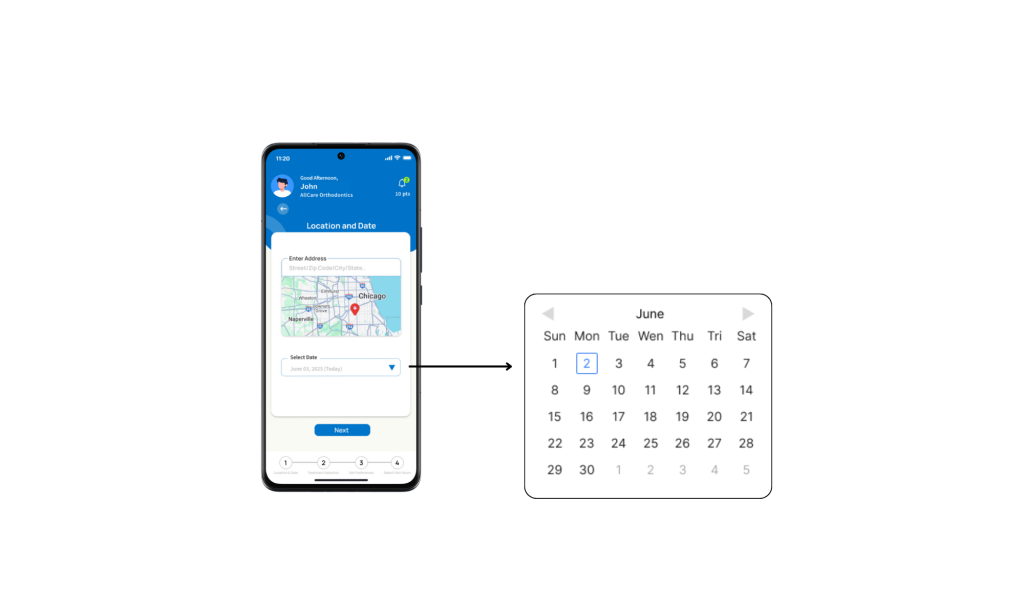
- Enter and adjust your address.
- Select your preferred appointment date.
After confirming that the details are correct, tap Next to continue.
b) Step 2 – Select Treatment #
In the second step, you will choose the treatment(s) you want to receive.
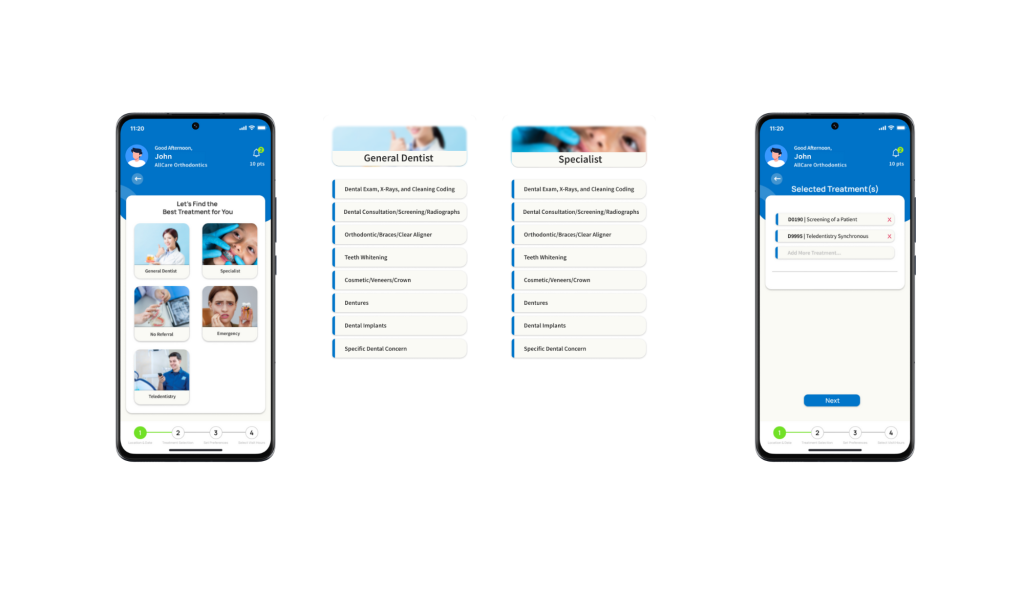
If you are unsure which treatment to choose, you can return to the DR. ANNIE™ Dental Evaluation page first to perform an evaluation and obtain your treatment code.
- The treatments you select will be displayed in a list.
- You can add or delete treatment codes within this same page.
Once all selections are correct, tap Next.
c) Step 3 – Set Best Value Index (BVI) Parameters #
In the third step, you will configure your Best Value Index (BVI) parameters — criteria that help match you with the most suitable clinic based on your preferences.
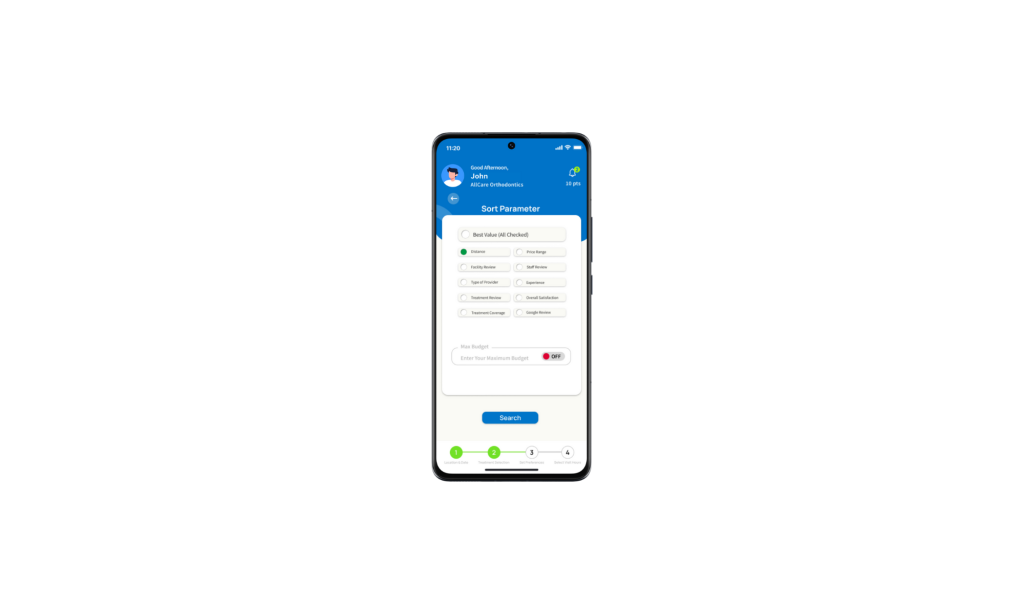
You can check or uncheck values such as:
- Distance
- Price Range
- Reviews
- Insurance Coverage
- and other available parameters
Additionally, you can specify the maximum budget you are willing to spend for this appointment.
Once all parameters are set, tap Next.
d) Step 4 – Choose a Clinic #
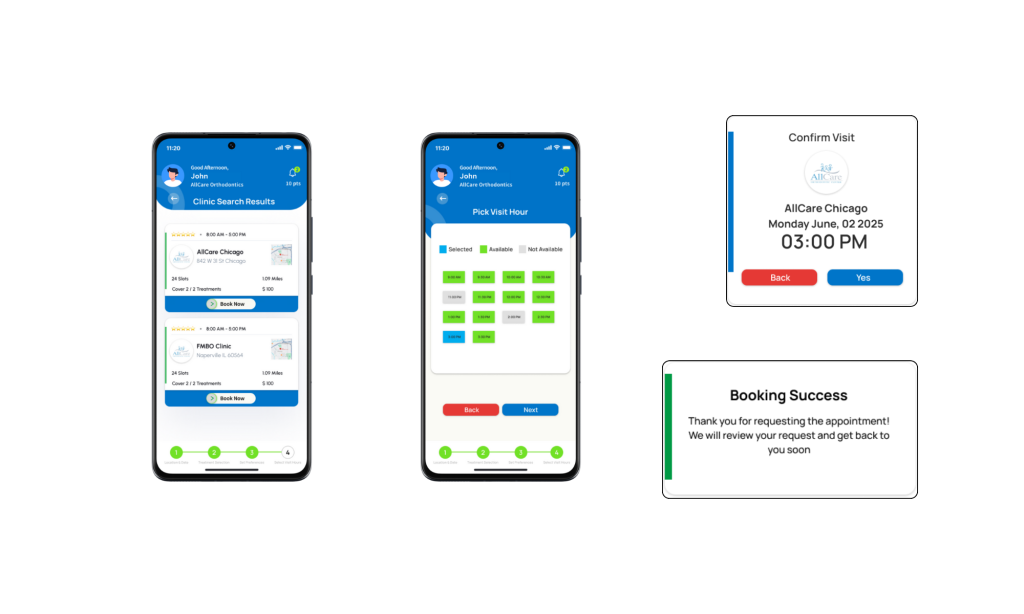
In this step, a list of recommended clinics will appear, filtered based on the parameters you selected earlier.
Review each clinic’s details, such as:
- Treatment price
- Distance
- Coverage options
When you’ve found the clinic that fits your needs, tap Book Now to proceed.
e) Pick Visit Hour #
Next, you’ll be directed to the Pick Visit Hour page, where you can choose your preferred visit time.
Color indicators:
- Blue → Selected time
- Green → Available time slots
- Gray → Unavailable time slots
After selecting your desired time, tap Next.
f) Confirm Appointment #
A confirmation pop-up will appear to verify your booking details.
Tap Yes to confirm your appointment.
Your Find Clinic and Booking process is now complete!
The detailed appointment information will appear on a separate page.
Tips:
- Use your Treatment Code from DR. ANNIE™ for more precise clinic recommendations.
- Review clinic distance, rating, and price before tapping Book Now.
- If no clinic fits your schedule, try adjusting your date or BVI parameters.


